
Best Tools to Stop Losing Wholesale Accounts
The best tools to stop losing wholesale accounts flag customers before they go quiet, not after they leave. Most accounts in wholesale distribution are lost silently, when a steady customer slips past its reorder pattern unnoticed. Tools that read order history and rank overdue accounts each morning stop that loss earlier than CRMs or ERP reports alone.
How wholesale accounts are actually lost
Distributors rarely lose an account in a single dramatic moment. They lose it slowly. A steady customer reorders a little later, then skips a cycle, then splits an order with another supplier, and by the time anyone notices, the account is mostly gone. Nobody complained and nobody cancelled, which is why the loss is so easy to miss.
The best tool to stop that is not the one with the most features. It is the one that notices the drift early, while a single call can still turn the account back around. By the time a loss is obvious, the useful moment has usually already passed.
Tools to stop account loss compared
Each of these plays a role, and most distributors already use one or more. The matrix compares them on catching a slipping account in time to save it.
| Capability | Allodial Predict | Generic CRM | ERP report | Manual account review |
|---|---|---|---|---|
| Warns before an account goes quiet | ✓ | ◐ | – | – |
| Flags overdue reorders from order history | ✓ | – | ◐ | ◐ |
| Runs every day, not once a quarter | ✓ | ◐ | ◐ | – |
| Ranks accounts by revenue at risk | ✓ | ◐ | ◐ | ◐ |
| Stores relationship history and notes | ◐ | ✓ | ◐ | ◐ |
| Full historical reporting and margins | – | ◐ | ✓ | – |
| Requires no standing report or analyst | ✓ | ◐ | – | ✓ |
| Gives reps a plain reason to call today | ✓ | ◐ | – | ◐ |
What each tool contributes
A general CRM helps by keeping every account and interaction in one place, so nothing is forgotten once it is logged. It depends on reps to notice and record that an account is slipping.
An ERP report contributes the raw evidence: order frequency, last order date, revenue trend. It is accurate and complete, but it waits to be read, and a report nobody opens does not save an account.
A manual account review, done monthly or quarterly, brings human judgment and catches things no field captures. Its weakness is timing: a lot can go wrong between reviews, and quiet accounts are usually already gone by the next one.
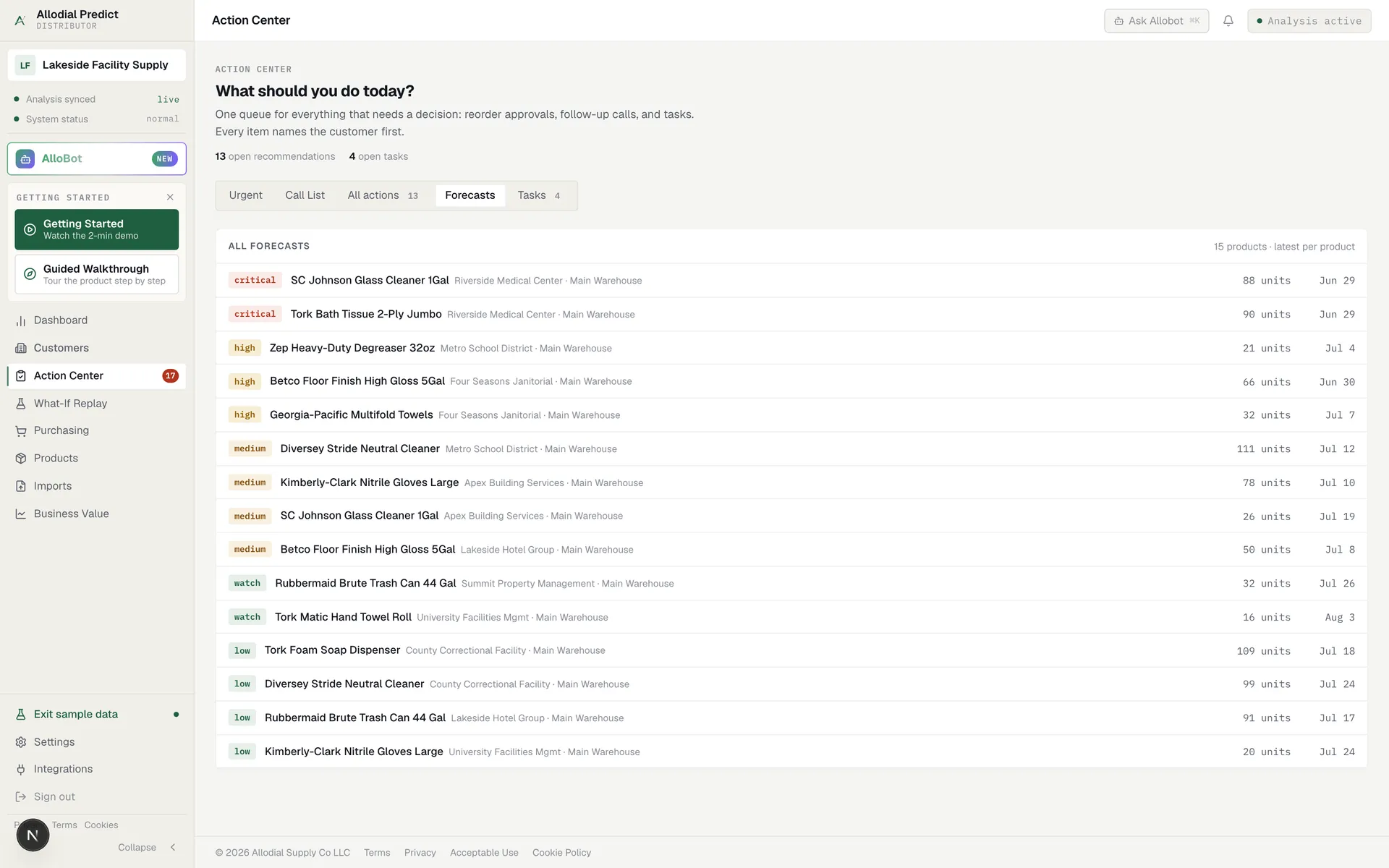
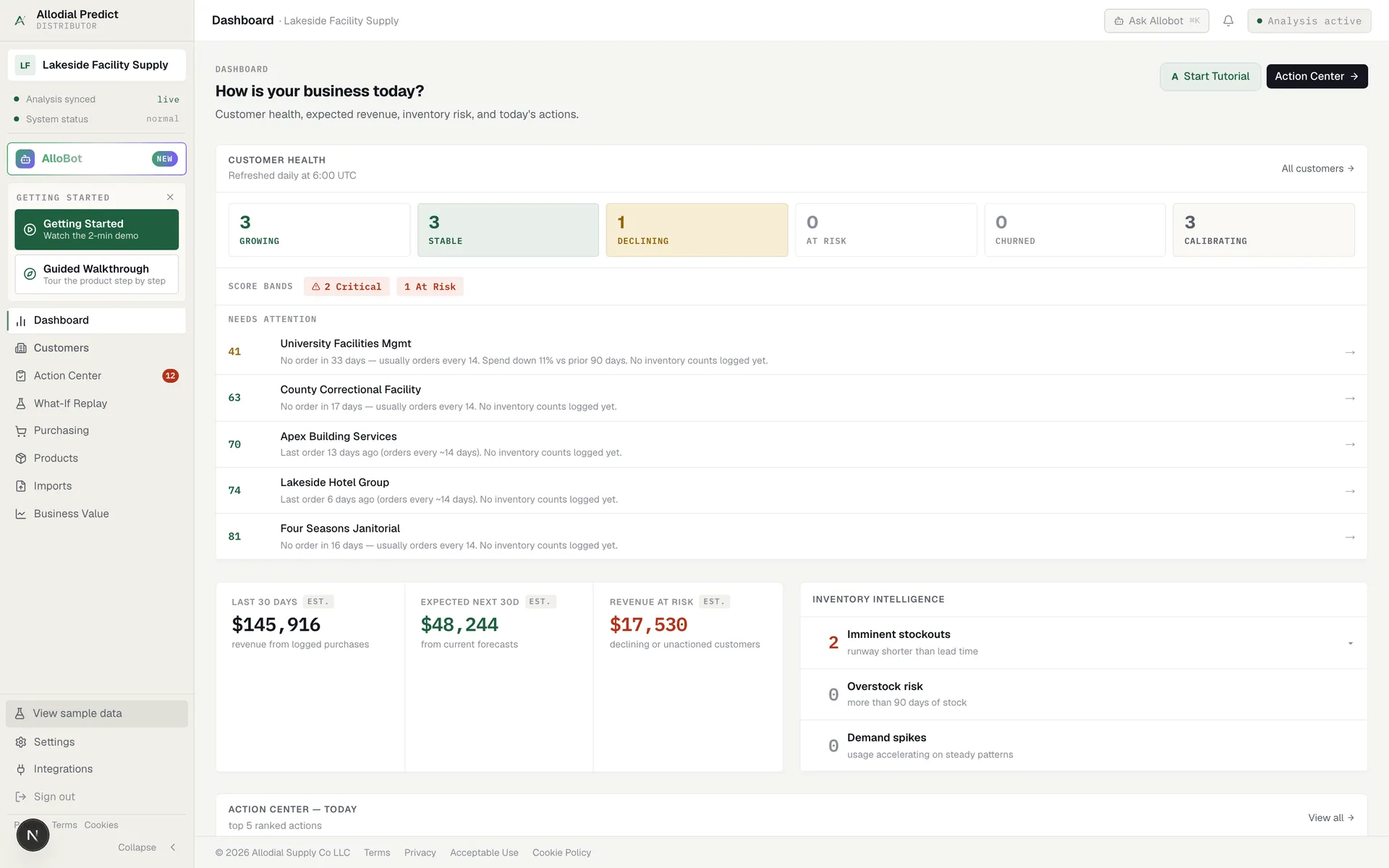
A reorder-timing tool contributes the missing piece, a daily flag on the accounts drifting past their normal reorder, ranked by what is at stake, so the evidence the ERP holds and the notes the CRM holds finally turn into a call.
The window where an account is still saveable
There is a window between the last order and the moment a customer settles on a new supplier. Inside that window, a single well-timed call often keeps the account. The problem is that the window is invisible unless something is watching the reorder pattern.
CRMs, ERP reports, and quarterly reviews tend to surface the loss after the window has closed, at the review where the number is already down. Catching the account inside the window is what actually stops the loss, and it requires watching order history continuously rather than checking in occasionally.
That is the real dividing line between these tools. It is not features or price; it is timing. A tool that reviews accounts monthly or quarterly will always be looking at a snapshot that is already stale for a customer mid-drift. Stopping the loss means watching the window every day, so the call goes out while the account is still yours to keep.
What actually stops the bleed
The setups that reliably stop account loss share a pattern.
- They watch order history continuously, not at quarter-end
- They flag overdue reorders and rank them by revenue at risk
- They put a plain reason in front of the rep, so the call happens today
- They keep every account in view, not just the loud or favorite ones
Choosing tools for your situation
Keep the CRM for relationship history and the ERP for reporting; both earn their place. If you have the discipline for regular account reviews, keep those too. But if accounts keep disappearing quietly and you only find out at the review, the missing tool is the one that watches the reorder window every day and hands reps a ranked call list. That is the layer that turns a quarterly surprise into a call you can still make in time.
What reps actually work from.
Common questions
Won't my ERP or CRM already tell me an account is leaving?
They hold the evidence but rarely raise the alarm in time. An ERP report shows a drop only once you read it, and a CRM shows what reps logged. Neither flags a quiet account the morning it drifts past its reorder window. A reorder-timing tool watches that window daily and ranks who to call.
See which accounts are due before the phone rings.
Allodial Predict reads your order history and surfaces the accounts that need a call today.