
Best Customer Reorder Prediction Tools for Distributors
The best customer reorder prediction tools for distributors read order history and flag which wholesale accounts are due to reorder before they run low. Options range from purpose-built reorder-timing tools to general CRMs, ERP sales reports, and spreadsheets. They differ mainly in whether they turn reorder patterns into a ranked daily call list.
What counts as a reorder prediction tool
A customer reorder prediction tool answers one question for a wholesale distributor: which recurring accounts are due to reorder right now, before they run low and shop around. Several kinds of software touch that question from different angles, and none of the categories is wrong. They simply were built for different primary jobs.
The four you will actually weigh are purpose-built reorder-timing tools, general CRMs, ERP sales reports, and spreadsheets. The right choice depends on how directly you need reorder timing turned into a call a rep can make today, rather than data a rep has to go dig for.
The main categories at a glance
Each category has genuine strengths. The matrix compares them on the specific job of predicting and acting on customer reorders, not on their overall breadth.
| Capability | Allodial Predict | Generic CRM | ERP sales report | Spreadsheet |
|---|---|---|---|---|
| Flags which customers are due to reorder | ✓ | – | ◐ | – |
| Ranked daily call list from order history | ✓ | – | – | ◐ |
| Learns each account's reorder rhythm | ✓ | – | ◐ | – |
| Plain reason for each flagged account | ✓ | ◐ | – | – |
| General pipeline and contact management | ◐ | ✓ | ◐ | – |
| Full system-of-record reporting | – | ◐ | ✓ | – |
| Cheap and instantly editable by anyone | ◐ | – | – | ✓ |
| Setup measured in days | ✓ | ◐ | ◐ | ✓ |
Where each category fits
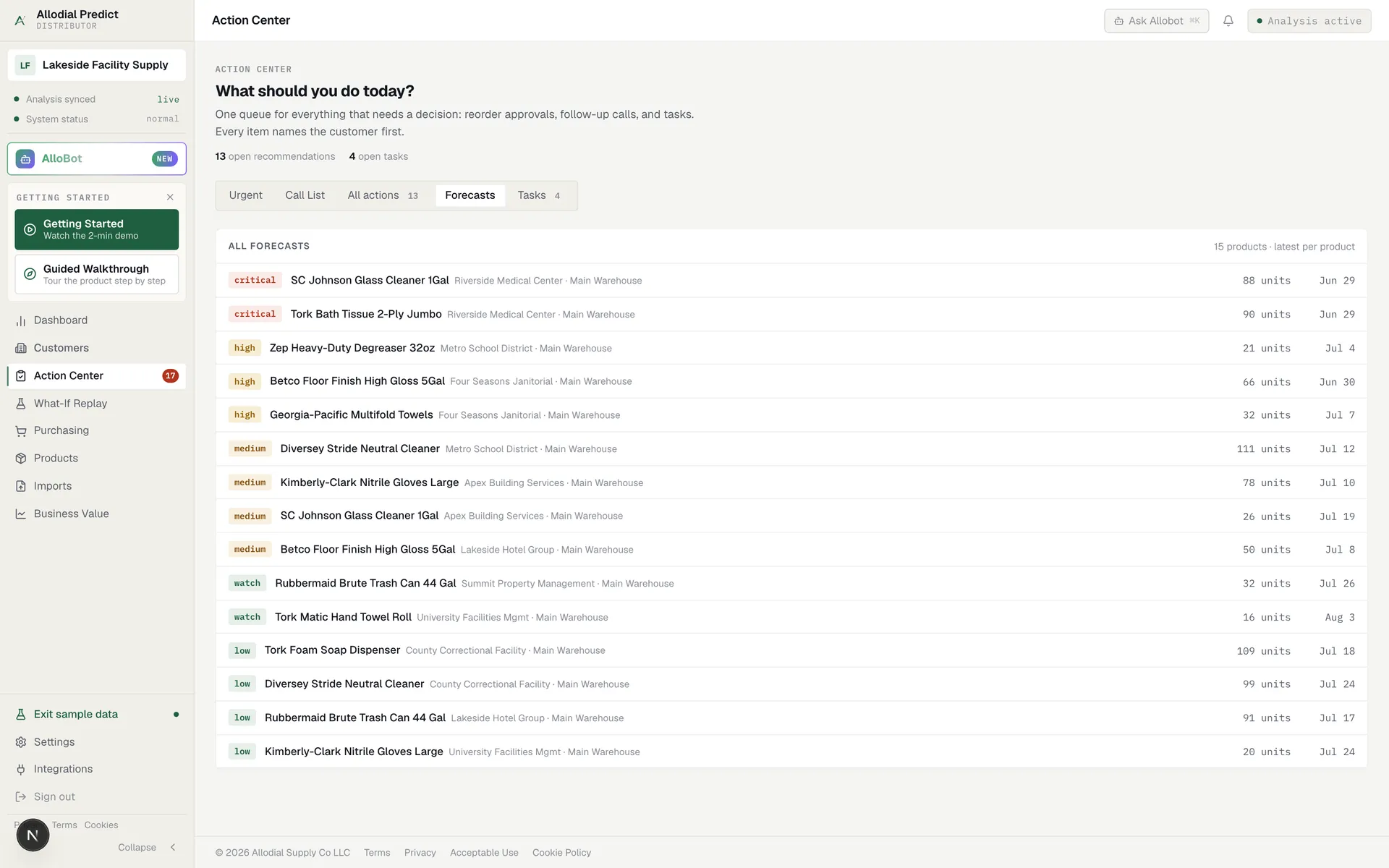
Purpose-built reorder-timing tools, including Allodial Predict, exist to answer the reorder question directly. They read order history, learn each account's rhythm, and rank the day by who is due and what is at stake.
A general CRM is strongest when you have a real pipeline to manage: stages, contacts, and follow-up tasks across new and existing business. Some can be customized toward reorder tracking, though it takes work to get there.
An ERP sales report is the system of record. It can show last order date, order frequency, and revenue by account, which is useful raw material, but reading a report is not the same as being handed a ranked call list.
A spreadsheet is the cheapest starting point and endlessly flexible, which is why so many distributors begin there. It stops scaling once the account count climbs and the formulas become a second job that only one person understands.
The reorder-timing gap most tools leave
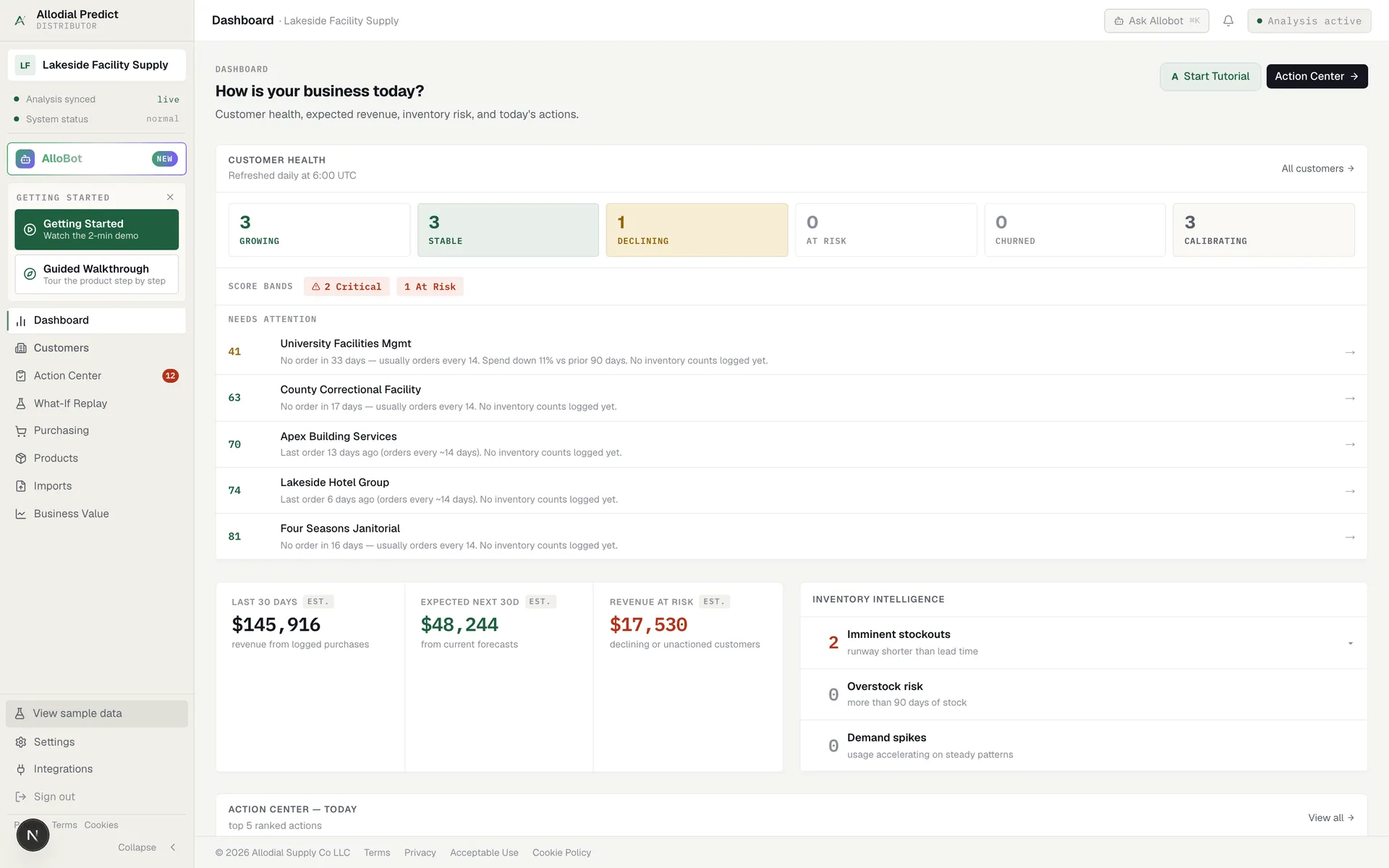
Across all four categories, the common gap is the same: storing or displaying history is not the same as acting on it. A report can show that Lakeside Facility Supply usually orders every five weeks and is now at week seven, but it will not put Lakeside at the top of a rep's list this morning with a one-line reason.
Turning reorder patterns into a prioritized daily action is the specific job a purpose-built tool is built for, and it is the piece the broader categories tend to leave to memory and manual review.
This is why distributors often own three of these categories and still miss reorders. The CRM holds the contacts, the ERP holds the orders, and the spreadsheet holds a few notes, yet none of them wakes up in the morning and says which accounts to call first. The data exists; the daily decision is what goes unmade.
Why distributors pick a purpose-built tool
Distributors who choose a purpose-built reorder-timing tool usually do so because it closes that gap directly.
- It flags who is due and ranks the day by revenue and risk
- It reads order history you already keep, with no new data entry
- Each account carries a plain reason a rep can act on
- It is built for distribution and priced for a small team
How to choose for your distributor
If your main need is a full sales pipeline, start with a CRM. If you need one system of record for the whole business, that is the ERP's job. If you are just getting organized, a spreadsheet is a fine first step. But if the core problem is catching reorders before customers run low, a purpose-built reorder-timing tool does that one thing better than tools built for other jobs, and it can run alongside any of them.
What reps actually work from.
Common questions
Can a CRM or ERP predict customer reorders on its own?
Both hold the raw data, and an ERP report can show order frequency and last order date. Neither, out of the box, tells a rep which accounts are due today and ranks them. A purpose-built reorder-timing tool reads that same history and turns it into a ranked daily call list.
See which accounts are due before the phone rings.
Allodial Predict reads your order history and surfaces the accounts that need a call today.